Agentic Maintenance Platform
Redesigning journey map maintenance for a customer experience platform, with an agentic AI layer that keeps content fresh without taking control away from the people who own it.
Jump to solutionClient and proprietary details have been withheld under NDA. This case study describes process, decisions, and outcomes at a high level only.
Journey maps go stale. Nobody notices.
Journey maps are living documents that need to evolve as customer experiences change, products update, and new data emerges. But on this platform, there was no system to alert users when their content became outdated, personas aged out of date, insights no longer matched current metrics, touchpoints drifted from reality.
Users relied on manual review and indirect signals to catch stale content, which led to inefficiency, disconnected data, and eroding trust in the maps themselves.
How might we help journey map owners identify and address outdated content, so their maps stay accurate, trustworthy, and actionable over time?
The client is a customer journey management platform that helps organizations understand their customers by building, analyzing, and maintaining journey maps. The platform already supported creation, analytics, and AI-assisted content generation, but maintaining those journeys over time was a gap.
What we worked within
- We could interview current platform users, but not test new concepts with them, so usability tests ran with 6 UX designers familiar with journey mapping.
- Limited time and access to some competitor platforms narrowed the competitive analysis.
- Client and proprietary details stay under NDA.
Conducted desk research, competitive analysis, and a heuristic evaluation against Nielsen's 10 usability heuristics on a competing platform, grounding our direction in real gaps rather than assumptions.
Led 3 of 6 semi-structured interviews with real platform users, surfacing unmet needs, most notably that users had no way to know when their content had gone out of date.
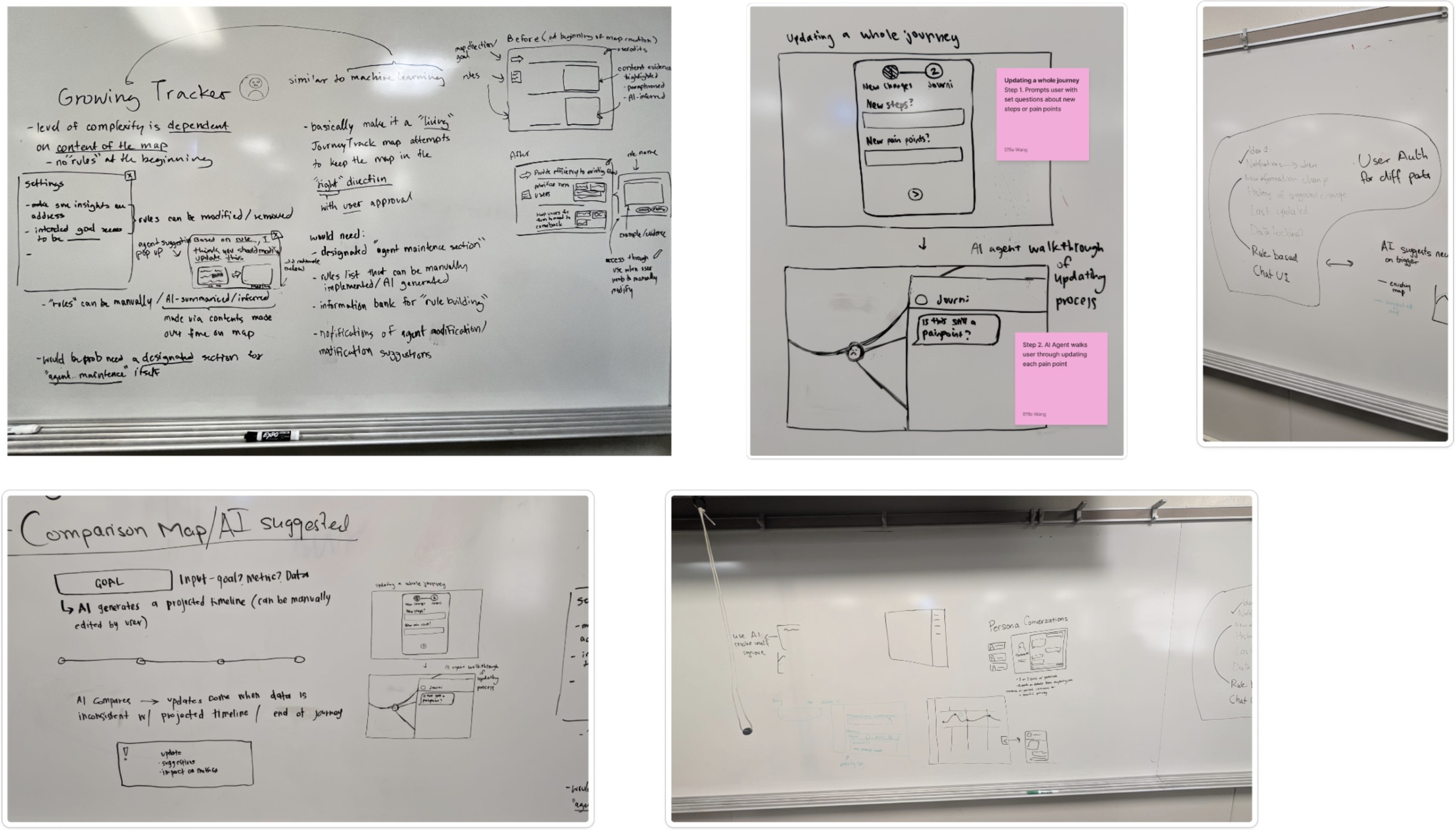
Ran a Crazy 8s sketching session, moving from individual ideation to group whiteboarding, to pressure-test concepts before narrowing down what to bring to sponsors for selection.
Translated research into a high-fidelity interactive prototype across multiple rounds of iteration, from early concept sketches to a working agentic AI experience.
Helped synthesize findings across 6 usability tests, then presented design decisions and rationale directly to the client's CEO and VP of Product.
Process artifacts
click on an image to expand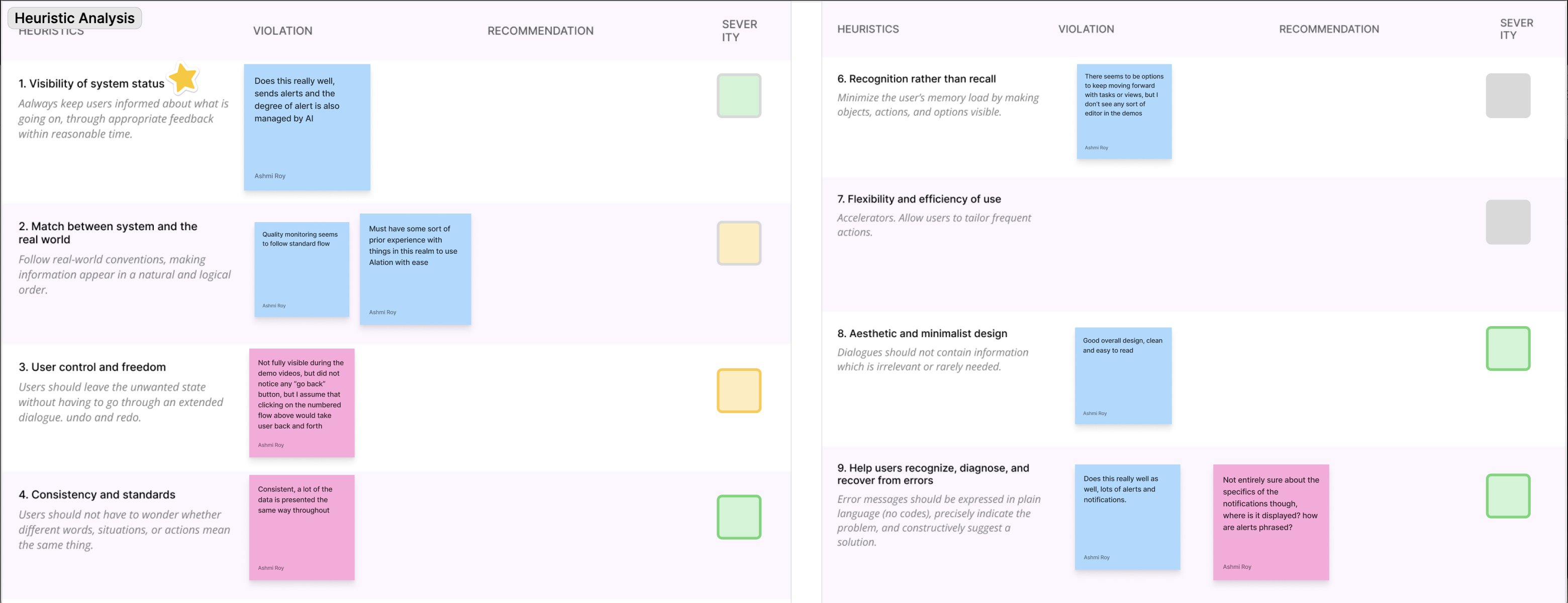
An agentic AI maintenance agent
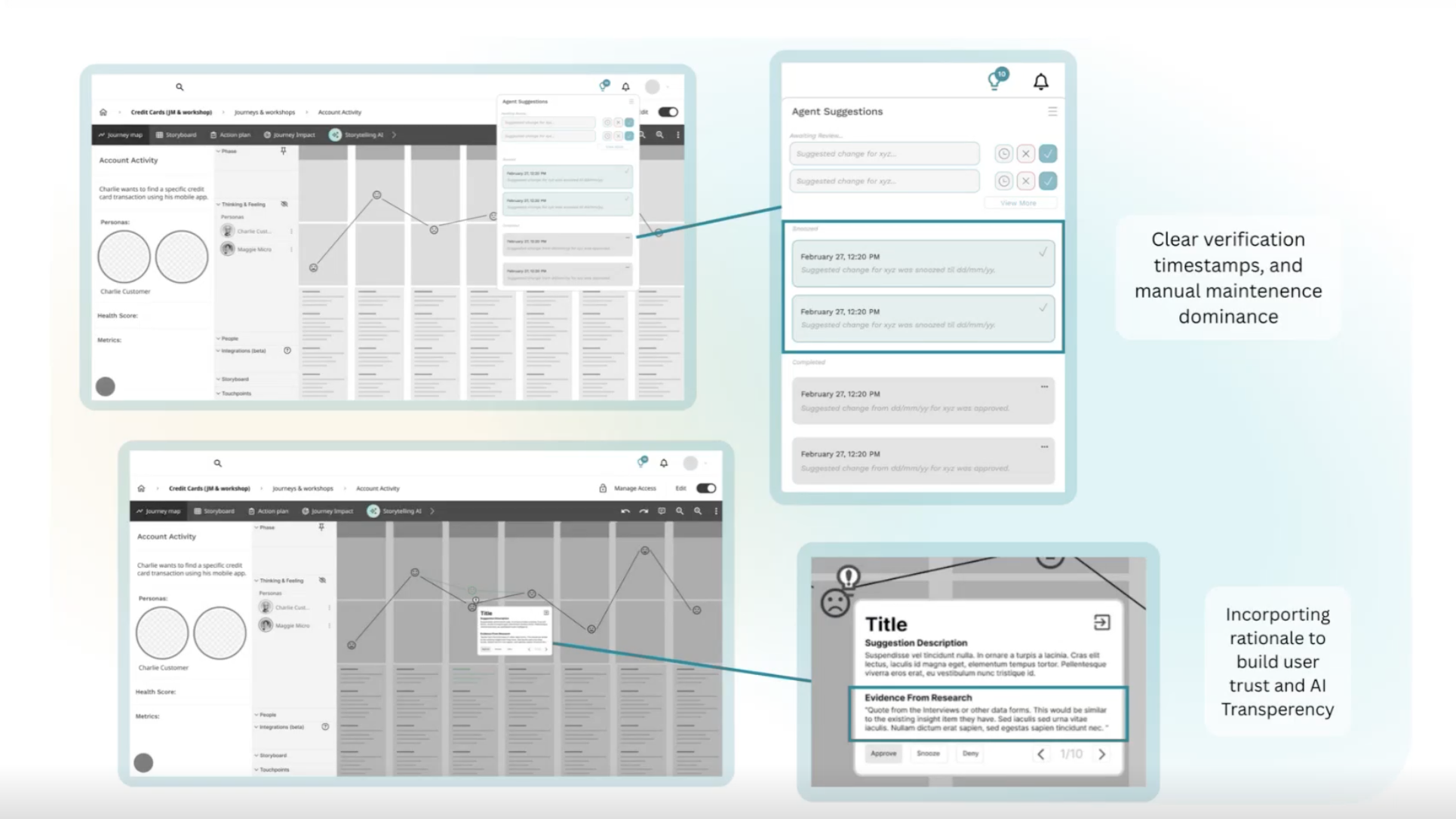
The final design introduces two complementary AI capabilities. Together they reduce manual maintenance, improve visibility into outdated content, and keep users in control at every step.
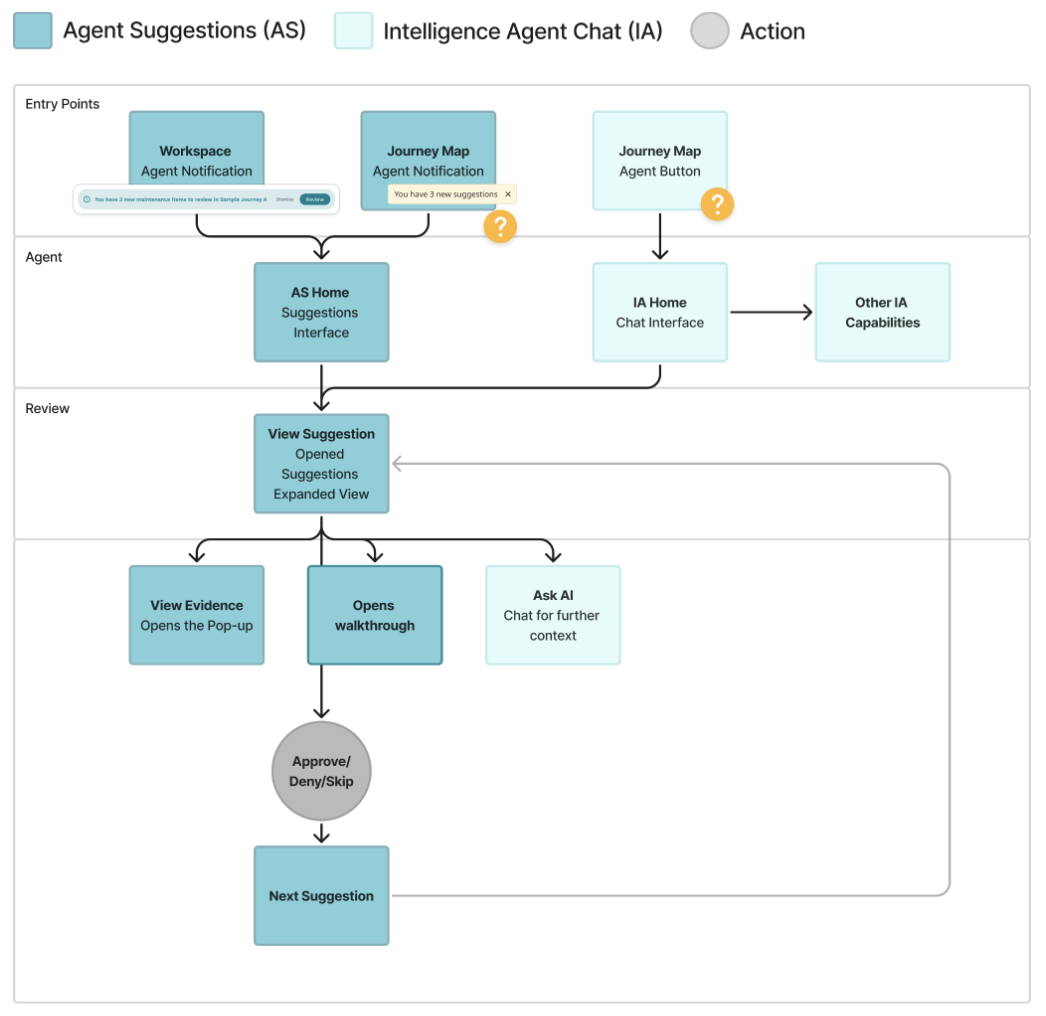
Users can enter the experience through several entry points, an agent notification on the workspace, an agent notification on a specific journey map, or the chat interface directly. From there they can review a suggestion in detail, explore the supporting evidence, ask AI for more context, or step through a guided walkthrough before deciding to approve, deny, or skip.
To reduce the risk of unintended decisions, approved and denied suggestions stay accessible afterward, so users can revisit their supporting context and undo a decision if needed.
Proactive monitoring agent
Reactive intelligence agent
Why the agent works this way
Each pattern traces back to our interviews or usability tests.
Is this still a current pain point?Interviews, a question stakeholders keep asking
What changed
- Testers found the prototype simple to use, and valued being able to check the evidence behind each suggestion.
- Design decisions and rationale were presented to the client's CEO and VP of Product, then refined with the sponsors' design guidelines for handoff.
AI & Technical Approach
Designed both the proactive monitoring agent and the reactive chat interface in Figma, then wrote the prompt structures and evidence-based suggestion logic that made the AI's reasoning visible instead of opaque. The goal throughout was an agent that assists without ever quietly taking control away from the user.
This was my first time working on an agentic AI product, so there was a lot of context research and understanding I had to build before I could even start designing. Working across a 9-person team also pushed me to communicate design decisions more clearly, since not everyone was looking at the problem the same way I was.
I also learned that trust in AI is built in the details of the interface. Watching testers slow down on vaguer suggestion cards and lean on the evidence behind each one showed me that transparency has to be something people can see and check.
Recommended next
- Revisit the walkthrough, since its overlap with manual suggestions still needs testing.
- Measure real-world impact with the platform's own users a few months after launch.
- Add onboarding that separates the maintenance agent from the platform's other AI features.